When Textile Video Motion Changes the Material Promise
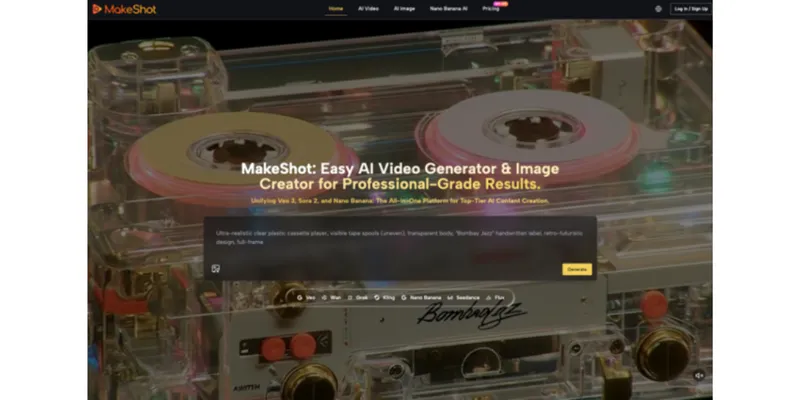
Textile buyers read motion as product information. The way a fabric folds, catches light, stretches, or returns to shape can influence expectations about weight, weave, finish, and performance. An AI Video Generator can turn a product still into a useful concept clip, but it can also make a material appear softer, denser, brighter, or more fluid than the supplied sample.
That risk does not make generated video unsuitable for textile marketing. It changes the standard of review. Instead of asking only whether a clip looks attractive, the team must ask which material claims the movement implies and whether the physical product supports them. The strongest workflow treats reference images as evidence, motion as a hypothesis, and final approval as a technical merchandising decision.
Motion Creates Claims That Stills May Avoid
A flat photograph can show color, print, and surface detail under one lighting condition. Once the same fabric moves, viewers infer drape, stiffness, thickness, recovery, and sometimes durability. A generated breeze can make upholstery appear like silk. A dramatic highlight can turn a matte finish into metallic shine. These are not merely artistic changes when the clip supports a sale or sourcing decision.
The review should recognize variation in the real product as well. Dye lots, screen settings, lighting, and finishing can already affect perception before generation is involved. Record which sample and photography setup serve as the reference, and avoid claims of exact on-screen color. MakeShot can explore a composition, while physical inspection and agreed standards settle the commercial description.
Identify the Material Signal in Each Shot
Before generation, state what the shot is allowed to communicate. A close-up may show weave scale. A slow fold may demonstrate general drape only if it matches a real sample. A rotating garment can show construction while avoiding unsupported stretch or movement claims. If the team cannot name the intended signal, the scene is likely decorative and harder to review.
Separate Concept Films From Product Evidence
Concept films can use imaginative environments and stylized motion when they are presented as brand expression. Product demonstrations require a tighter relationship to the real textile. Label prototypes and simulations where confusion is likely, and do not place a generated clip beside technical specifications in a way that suggests it is test footage. Context determines how literally a buyer will read the scene.
Visible cue | Possible buyer inference | Verification method |
Deep flowing folds | Soft hand and high drape | Compare with filmed physical swatch |
Sharp light reflection | Glossy or coated finish | Check under approved lighting setup |
Repeated stretching | Elasticity and recovery | Use technical test data |
Perfect print continuity | Seam and pattern alignment | Compare against production sample |
Color under mixed light | Stable shade across environments | Review calibrated reference photography |
Compare Every Generation With a Physical Reference
MakeShot offers image-to-video workflows across several models, and selected models support reference images or frame control. Those features can help constrain a scene, but they do not measure a textile. The approval station should include the physical swatch or an authenticated sample video, the color standard, construction details, and the exact output intended for publication.
Run a Documented Material Fidelity Review
Play the generated output next to real footage at normal speed and frame by frame. Examine color shifts, weave changes, edge behavior, seam movement, print geometry, and the way folds form and release. Use the AI Video Generator to explore alternate camera or motion concepts, then reject any version whose visual behavior overstates the product.
Invite both a technical product owner and a channel owner to the comparison. The technical reviewer knows the material; the channel reviewer knows what a buyer is likely to infer from placement, captions, and nearby specifications. Record disagreements instead of averaging them away. A scene that is acceptable as an abstract campaign image may still be unsuitable on a product page.
Use Different Standards for Different Channels
A mood-led social post can tolerate more stylization than a sourcing page, specification sheet, or marketplace listing. Define the channel in the brief and set the review threshold accordingly. A clip attached to a material code should be conservative. A campaign film can be expressive, but it still should not contradict named fiber content, performance claims, certifications, or care instructions.
- Lock approved color references before prompting.
- Keep logos, care labels, and certification marks out unless verified.
- Record which physical sample the reviewer used.
- Retain the prompt, model selection, chosen output, and approval date.
- Replace generated demonstration footage when a real test is available.

Build Prompts Around Controlled Material Behavior
Broad language such as “luxurious flowing fabric” invites the system to invent the very qualities a buyer may interpret as evidence. A stronger prompt names the approved source image, camera position, limited motion, stable pattern, fixed color, and prohibited changes. One small action is easier to compare against a sample than a full runway sequence with changing light and multiple garments.
Create a negative instruction list from prior failures. It may include no weave alteration, no added embroidery, no transparency, no extra sheen, no color shift, and no change to seam placement. This will not guarantee fidelity, but it makes the intended boundary explicit and helps reviewers classify defects consistently across variants rather than responding only to overall attractiveness.
Use Neutral Scenes for Early Experiments
Begin with an uncluttered background and restrained lighting. Environmental effects, models, accessories, and dramatic camera moves can be added after the material itself remains stable. This order isolates problems. If the weave changes in a simple fold test, a more elaborate scene will hide the failure rather than solve it.
Make Accuracy Part of Creative Quality
Textile marketing does not have to choose between credible detail and visual energy. Accuracy can guide the creative direction: close observation of a weave, a controlled comparison of finishes, or a carefully framed construction detail can be more distinctive than generic flowing cloth. MakeShot can speed the exploration of those scenes while the sample and technical record remain authoritative.
Use approved clips to build a small internal reference library. Pair each scene with the physical sample, channel, prompt, and reasons for approval. The collection teaches future teams what faithful motion looks like for different fabric families and highlights recurring errors. It is more useful than a folder of visually appealing outputs with no connection to material evidence.
The final clip should help a viewer understand the product without borrowing qualities the product does not possess. When merchandisers, designers, technical specialists, and marketers share that standard, generated motion becomes a useful communication layer rather than an unrecorded change to the material promise.
After publication, collect questions from buyers and sales teams. Repeated confusion about sheen, weight, scale, or stretch shows that a visual cue was stronger than the accompanying copy. Use that evidence to revise the clip and update the internal reference library. Market feedback should tighten the accuracy standard rather than merely inspire another version.