How Laptop Mockups Help Developers Demonstrate Feature Concepts Early
The Rise of Visual Prototyping
In modern development workflows, speed and clarity determine how quickly teams can move from idea to implementation. Before a single line of code is written, developers often need a way to show how a feature might behave in a real product environment. This is where a laptop mockup becomes a powerful storytelling tool. It offers a realistic frame that immediately places concepts in context. Instead of abstract sketches, teams see an interface alive on a clean digital canvas, making feedback faster and more structured.
Why Early Visualization Matters
When teams visualize features early, they uncover design tensions long before development begins. A developer proposing a new onboarding flow, for instance, can drop wireframes into a mockup and instantly communicate how screens transition, where interaction cues live, and how layouts adapt across resolutions. This accelerates understanding and reduces costly revisions.
Laptop mockups are especially helpful during internal reviews. Suppose a developer wants to showcase a real-time log viewer for a backend dashboard. Presenting it inside a polished mockup ensures reviewers focus on clarity, spacing, and usability rather than raw placeholders. This context creates a shared visual language that keeps discussions productive.
Practical Examples in Real Workflows
Many development teams already integrate laptop mockups into their early-stage concept presentations. One SaaS startup uses mockups during sprint planning to preview experimental dashboard modules. By placing their wireframes inside a realistic laptop frame, designers and engineers immediately see how spacing, hierarchy, and component density behave in a true interface context.
Another example comes from a fintech product team that needed to propose a refreshed navigation structure. Instead of sharing static screens, they prepared a mockup-based walkthrough showing how the new sidebar interacted with live data visuals. Stakeholders found it easier to evaluate flow continuity because everything appeared inside a natural working environment.
A third team—a mobile productivity app company—recently adopted laptop mockups to demonstrate light and dark mode variations. They showcased the same feature across different lighting scenarios using several angles, allowing reviewers to compare theme clarity, readability, and contrast without jumping between separate design artifacts. This saved time and helped the team settle on a direction early, before committing resources to implementation.
What Makes Premium Mockups Stand Out
Premium-quality laptop mockups bring a level of refinement that elevates even the earliest feature concepts. The mockups available on ls.graphics are especially notable for their professional polish and versatility. Their strengths include:
- Ultra-realistic rendering that captures lighting, reflections, and material textures with precision, making every screen feel naturally integrated into the scene.
- Organized, intuitive layers that allow developers to insert interfaces quickly without navigating cluttered structures.
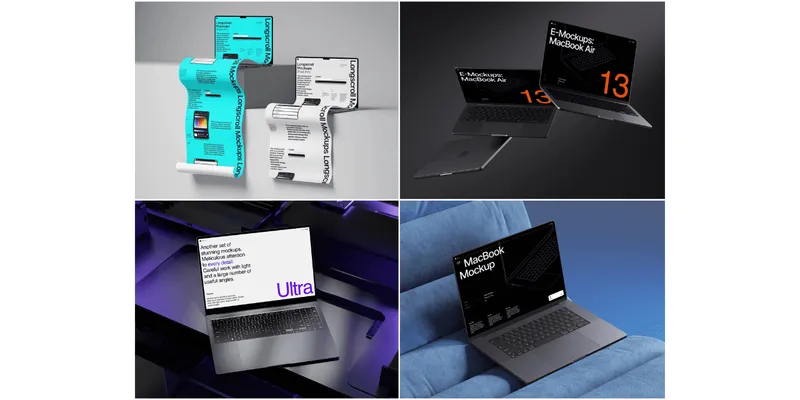
- Multiple angles and perspectives, from front-facing views to dramatic three-quarter angles, ideal for feature demonstrations and pitch decks.
- A wide variety of color styles, enabling teams to match brand aesthetics, light/dark themes, or specific presentation environments.
- Minimalistic, modern compositions that keep attention on the showcased feature rather than on visual noise.
- Exceptional ease of use, ensuring that even non-designers can produce polished, professional-grade visuals in seconds.
Ways Developers Use Laptop Mockups
• Demonstrating alternative layouts during architectural discussions
• Presenting animation ideas in early UX reviews
• Sharing concept previews with non-technical stakeholders
Another benefit is how mockups guide collaboration. When front-end engineers hand off designs to QA or documentation teams, the mockups serve as authoritative visual references. They help ensure that intended behaviors and layouts are interpreted correctly.
Enhancing Concept Demos with Style Diversity
One of the most underrated advantages of modern mockup libraries is aesthetic variety. Developers who need minimalistic compositions for pitch decks can choose clean studio backgrounds. Those preparing a design handoff might select angled views or floating perspectives to highlight screen proportions and motion elements. A multi-angle scene, for example, is perfect for demonstrating a login flow across several states: loading, verification, and error handling.
Conclusion
Early visualization dramatically improves development clarity, and laptop mockups make the process accessible, fast, and visually consistent. Whether used for sprint demos, UX experiments, or feature pitches, these tools help developers communicate ideas long before code exists. With premium mockups that offer realism, flexibility, and ease of use, every concept gains a stronger chance of becoming a polished feature. It boosts overall clarity!