Cutting Sampling Loops With Visual Tools: What Textile Teams Can Do Today
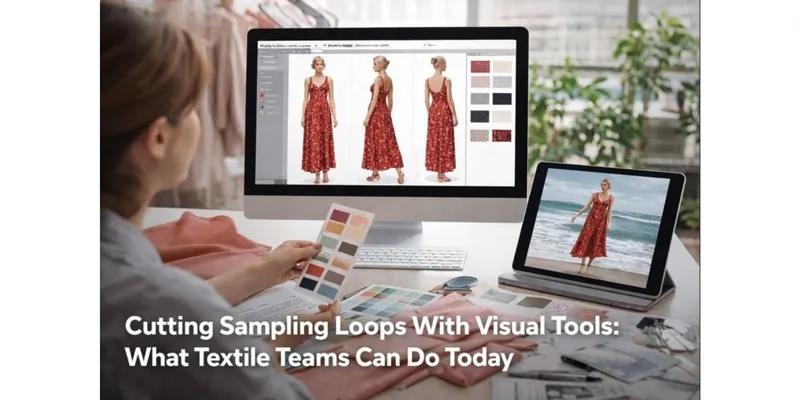
Product teams in textiles spend a surprising amount of time resolving problems that aren’t really “fabric problems.” The lab report can look perfect, the shade card is signed off, and the hand feel is on target—yet the product still struggles once it’s photographed, listed online, and judged on a phone screen. In day-to-day work, that mismatch shows up as extra rounds of sampling, late changes to styling or trims, and a return pipeline nobody wants to talk about.
One practical way to reduce those loops is to tighten how teams visualize an item before they commit to costly actions (multiple samples, rush shipping, reshoots). Visual AI—used as a controlled sketching and preview layer—has started to fill that role. Some brands even test high-sensitivity categories where fit and presentation are unforgiving by creating quick visual drafts from a single image, using tools like a photo to bikini creator to preview how styling, pose, lighting, and background choices might read in a real listing. It’s not a substitute for technical development, but it can prevent the team from walking into the wrong shoot brief or the wrong color story.
The Slow Points No One Talks About in Textile Production
In an ideal workflow, the product moves cleanly from concept → sample → approval → production → content → retail. In reality, the friction sits between handoffs:
- Design to development: the idea is clear in one person’s mind, fuzzy in everyone else’s inbox.
- Development to vendor: “same, but better” notes travel across time zones and get interpreted differently.
- Production to content: the product arrives, looks slightly different from expectation, and the shoot plan gets rewritten.
- Content to customer: the product looks great in studio lighting, less convincing in normal indoor light.
Anyone who has sat through sample review knows the pattern: a small visual doubt becomes a schedule slip. The key is to surface those doubts earlier, when the fix is cheap.
A grounded way to use visual AI without losing material truth
The safest approach is to treat these tools as preview systems, not truth engines. In practice, that means setting a few simple rules:
- Material truth stays anchored to physical or measured references.
If your color standards are lab dips and spectro data, keep them central. Visual generation should follow those references, not invent a new palette. - Use AI outputs to drive decisions about communication, not just aesthetics.
A generated draft can reveal that the current styling hides drape, or that the background makes a neutral fabric look yellow. Those are content decisions you can fix early. - Document what was “generated” vs “captured.”
This protects trust internally, and it also helps when different teams reuse assets later.
A small observation from working with apparel and textile workflows: most late-stage surprises are not because the fabric is “wrong,” but because the team didn’t agree on what “right” would look like in the final channel (marketplace, DTC PDP, wholesale line sheet, etc.). Visual previews help align that definition earlier.
Three high-impact use cases that match textile operations
1) Faster concept alignment before sampling
When a line plan needs many variants (colorways, trims, styling directions), teams can create visual drafts to decide what’s worth sampling. This is especially useful when your mill can produce options quickly but your internal approvals are slow. The output isn’t the decision; it’s the conversation starter that prevents “we thought you meant…” rework.
2) Cleaner vendor communication and fewer revisions
Vendors often receive feedback that’s hard to interpret: “more premium,” “less shiny,” “closer to last season.” A visual reference—even a rough one—can turn subjective notes into something concrete. Paired with your technical package (construction details, GSM, finishing notes, tolerance ranges), it reduces interpretation drift.
3) Content Planning That Actually Works (Photos, Motion, Merchandising)
Textiles sell on movement: drape, swing, stretch recovery, and surface texture under changing light. Short motion clips can do what static photos can’t. If your team already has approved key visuals, a model pipeline like the Wan 2.2 video model can help generate consistent short clips for product pages, ads, or internal line reviews—particularly when you need “good enough, consistent, fast” across a large SKU count.
A simple checklist for deciding what to generate vs what to photograph
Some things should stay strictly photographic (or at least strictly reference-based). Others can be drafted safely.
Asset type | Good candidate for visual drafts | Better kept as real capture | Why it matters |
Concept styling (pose, background, framing) | ✅ Yes | — | Helps lock a shoot brief quickly |
Color exploration (rough mood boards) | ✅ Yes, with guardrails | ✅ Final color must match lab references | Prevents late “this looks off” debates |
Texture realism (knit definition, pile height, luster) | ⚠️ Limited | ✅ Yes | Small errors can mislead customers |
Fit and size representation | ⚠️ Use carefully | ✅ Yes | Trust and returns are affected |
Compliance marks, certifications, logos | — | ✅ Always real and verified | Risk if misrepresented |
If you want one rule that teams actually follow: generate drafts for direction, capture for claims.
Governance that doesn’t slow teams down
Most “AI policies” fail because they read like a legal memo. Teams need something lighter:
- Brand guardrails: define unacceptable outputs (off-brand styling, unrealistic body proportions, misleading finishes).
- Approval flow: a quick internal sign-off so assets don’t spread unchecked.
- Data hygiene: keep supplier imagery, internal prototypes, and customer photos handled with clear permission and storage rules.
- Training: one short session that teaches staff how to prompt, how to reject bad outputs, and how to use references properly.
This is also where expertise matters. A textile technologist can spot false texture cues that a generalist might miss. A merchandiser can predict when a “nice-looking” image will confuse a shopper. The tools work best when they sit inside that human filter.
What to measure (so it’s not just a “cool tool”)
If the goal is operational improvement, track outcomes that show up on schedules and P&L:
- Sampling rounds per style (and how often “urgent” samples happen)
- Time from concept lock to production-ready approval
- Shoot reschedule frequency
- Content cost per SKU
- Return rate and return reasons (fit vs “not as expected”)
Even a modest reduction in rework can pay for the experiment quickly, especially when a season has dozens or hundreds of styles.
Closing note: speed is useful only when it’s accurate
Textile businesses win by being precise—about materials, tolerances, performance, and trust. Visual AI can support that precision when it’s used as an early warning system and a communication layer. It won’t replace fabric knowledge, pattern discipline, or QA. What it can do is shorten the number of times your team has to discover the same issue late, when the fix is expensive.
If you want the benefit without the backlash, keep it simple: use visual drafts to align early, rely on verified references for final truth, and measure whether the loop actually got shorter.